Home/Used Equipment

Used Equipment & Parts

A supplementary channel for upgrades, repair spares and surplus asset sales. Explore the supply scope, configuration checks and condition disclosures for 36 categories.

Buy · Repair Spares · Sell Surplus

Give suitable equipment
a productive second life

Connect supply from hardware upgrades, project changes and stock clearance with repair, expansion, spare-part and budget procurement needs. Submit single items, batches of matching models or complete equipment lists, with usage, cosmetic condition, repairs and tests disclosed separately.

New equipment procurement remains our primary business. Used equipment provides an additional route for maintaining existing systems and disposing of surplus assets.

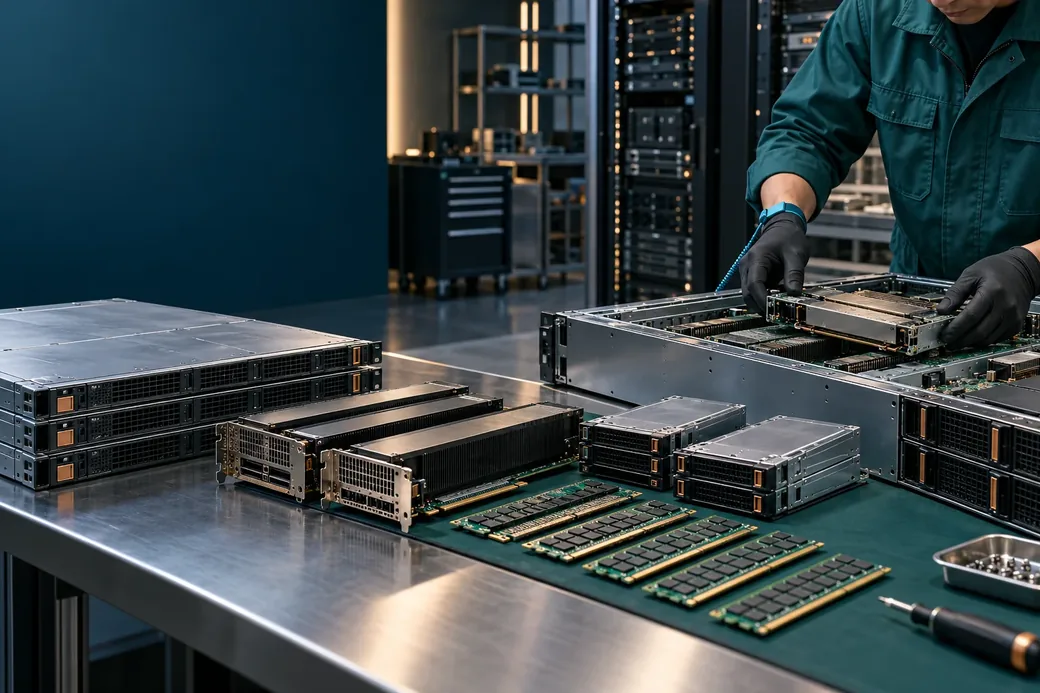
Illustration of server and component inspection and surplus equipment circulation
Check each item and component against the list. Scene images do not represent actual inventory.
Compute & Servers08categories
Memory & Storage10categories
Networking & Interconnects07categories
Power Supplies & Distribution03categories
Cooling & Thermal Management05categories
Racks & Operations03categories
Browse by category

Common Used Equipment & Repair Spares

Choose a category to review specifications and recommended checks. Buyers can submit target models; sellers should provide configurations, quantities, location, actual photos and any available test records.

Compute & ServersUsed Equipment Matching

Data Center GPUs

Data-center GPUs

For repairs, upgrades and surplus sales. Provide the application, operating age and repair or replacement history.

  • Provide the application, operating age and repair or replacement history
  • Check accelerator memory, stress-test results and recorded errors, with test environment and date

Check: workload · accelerator memory · platform

Compute & ServersUsed Equipment Matching

AI Accelerators

AI accelerator cards

For repairs, upgrades and surplus sales. Describe the original deployment, operating hours, firmware and repair history.

  • Describe the original deployment, operating hours, firmware and repair history
  • Check card detection, available model execution records and stability tests

Check: task · software · interface

Compute & ServersUsed Equipment Matching

Server CPUs

Server processors

For repairs, upgrades and surplus sales. Provide actual photos of the heat spreader and contacts, the complete model and source.

  • Provide actual photos of the heat spreader and contacts, the complete model and source
  • Identify engineering samples and other test samples separately from production processors

Check: platform · compute · memory

Compute & ServersUsed Equipment Matching

Server Motherboards

Server motherboards

For repairs, upgrades and surplus sales. Inspect CPU socket pins, corrosion, burn marks and solder repairs.

  • Inspect CPU socket pins, corrosion, burn marks and solder repairs
  • Check power-on, memory slots, expansion interfaces and management functionality records

Check: platform · memory · expansion

Compute & ServersUsed Equipment Matching

DPUs & SmartNICs

DPUs and SmartNICs

For repairs, upgrades and surplus sales. Describe the previous application, firmware, management access and repair history.

  • Describe the previous application, firmware, management access and repair history
  • Check host detection, port connectivity and available offload-function test results

Check: functionality · interface · networking

Compute & ServersUsed Equipment Matching

FPGAs & Programmable Cards

FPGA accelerator cards

For repairs, upgrades and surplus sales. Provide complete device and board model numbers, firmware and repair history.

  • Provide complete device and board model numbers, firmware and repair history
  • Check device detection, programming, interfaces and available operational tests

Check: FPGA device · onboard memory · interfaces

Compute & ServersUsed Equipment Matching

Complete Servers

Rackmount servers

For repairs, upgrades and surplus sales. List each system's configuration, accessories and damage by serial number or asset tag.

  • List each system's configuration, accessories and damage by serial number or asset tag
  • Provide usage, repair, firmware and operating-condition records

Check: platform · memory · storage

Compute & ServersUsed Equipment Matching

GPU Servers & Barebone Systems

GPU servers and barebones

For repairs, upgrades and surplus sales. List the GPUs and host components in each system; a platform name alone is insufficient.

  • List the GPUs and host components in each system; a platform name alone is insufficient
  • Describe previous workloads, GPU and PSU repairs, and cooling modifications

Check: GPUs · server platform · interconnects

Memory & StorageUsed Equipment Matching

DDR5 Server Memory

DDR5 server memory

For repairs, upgrades and surplus sales. Provide label photos, part numbers and capacities for each module or batch.

  • Provide label photos, part numbers and capacities for each module or batch
  • Check server detection, memory tests and recorded errors

Check: generation · module type · capacity

Memory & StorageUsed Equipment Matching

Enterprise NVMe SSDs

Enterprise NVMe SSDs

For repairs, upgrades and surplus sales. Provide the model, firmware and SMART or manufacturer health data.

  • Provide the model, firmware and SMART or manufacturer health data
  • Check power-on hours, data written, media errors and warning logs

Check: form factor · protocol · capacity

Memory & StorageUsed Equipment Matching

Enterprise SAS SSDs

Enterprise SAS SSDs

For repairs, upgrades and surplus sales. Provide health status, error information, firmware and the complete part number.

  • Provide health status, error information, firmware and the complete part number
  • Describe the original storage array application and usage history

Check: interface · platform · capacity

Memory & StorageUsed Equipment Matching

Enterprise SAS/SATA HDDs

Enterprise SAS and SATA HDDs

For repairs, upgrades and surplus sales. Provide power-on hours, SMART data and any available surface-scan results.

  • Provide power-on hours, SMART data and any available surface-scan results
  • Disclose known bad, reallocated or pending sectors

Check: interface · capacity · dimensions

Memory & StorageUsed Equipment Matching

RAID Controllers

RAID storage controllers

For repairs, upgrades and surplus sales. Provide the complete model, firmware, ports and repair history.

  • Provide the complete model, firmware, ports and repair history
  • Check device detection, ports, cache and known alerts

Check: protocol · interface · functionality

Networking & InterconnectsUsed Equipment Matching

High-Speed Network Adapters

High-speed network adapters

For repairs, upgrades and surplus sales. Provide the model, firmware, ports and previous operating environment.

  • Provide the model, firmware, ports and previous operating environment
  • Check device detection, connectivity on every port and recorded errors

Check: protocol · data rate · form factor

Networking & InterconnectsUsed Equipment Matching

Data Center Switches

Data-center switches

For repairs, upgrades and surplus sales. Describe every port, PSU and fan, including known faults.

  • Describe every port, PSU and fan, including known faults
  • Provide operating system version, licensing and operational test information

Check: topology · ports · software

Networking & InterconnectsUsed Equipment Matching

Optical Transceivers

Optical transceivers

For repairs, upgrades and surplus sales. Provide the complete model, host coding and compatibility information.

  • Provide the complete model, host coding and compatibility information
  • Check link establishment, diagnostic data and available transmit/receive optical power readings

Check: host · form factor · optical link

Power Supplies & DistributionUsed Equipment Matching

Uninterruptible Power Supplies (UPS)

Uninterruptible power supplies

For repairs, upgrades and surplus sales. Describe UPS and battery condition separately; a successful power-on does not establish battery health.

  • Describe UPS and battery condition separately; a successful power-on does not establish battery health
  • Provide service age, repair history, alerts and available load tests

Check: capacity · input / output · backup runtime

Cooling & Thermal ManagementUsed Equipment Matching

Precision Cooling

Precision cooling systems

For repairs, upgrades and surplus sales. Provide service age, repair, maintenance and alarm records.

  • Provide service age, repair, maintenance and alarm records
  • Check the cooling method, capacity documentation and available operational tests

Check: heat load · cooling design · airflow

Cooling & Thermal ManagementUsed Equipment Matching

Liquid-Cooling Systems & CDUs

Liquid cooling systems and CDUs

For repairs, upgrades and surplus sales. Provide the coolant used and cleaning, maintenance and repair history.

  • Provide the coolant used and cleaning, maintenance and repair history
  • Check pumps, heat exchangers, controls and available pressure and leak tests

Check: heat load · cooling architecture · hydraulics

Cooling & Thermal ManagementUsed Equipment Matching

Server Fans & Fan Modules

Server fans and fan modules

For repairs, upgrades and surplus sales. Describe usage, abnormal noise, repairs and bearing condition.

  • Describe usage, abnormal noise, repairs and bearing condition
  • Check speed, speed control, feedback signals and available alerts

Check: platform · electrical · performance

Racks & OperationsUsed Equipment Matching

Server Racks

Server racks

For repairs, upgrades and surplus sales. Inspect frames, posts, door locks, corrosion and deformation.

  • Inspect frames, posts, door locks, corrosion and deformation
  • Verify dimensions, load-rating documentation and the accessory list

Check: dimensions · load rating · ventilation

Images illustrate product categories. Some show related equipment or application scenes. They do not identify a specific model, connector, configuration, available stock or used condition. Confirm appearance, specifications, condition and delivery terms against the agreed product documentation and order.

Item-by-item disclosure

Describe used condition clearly

Record cosmetic condition, functionality, repairs and tests separately. A single condition grade does not replace a detailed description.

01

Source & Usage

List model, quantity, source, operating age and application. Label unused stock, used, refurbished, repair-required and end-of-life items separately.

02

Appearance & Completeness

Provide actual front, rear, connector and label photos. List accessories, packaging, missing parts, corrosion, deformation and other known damage.

03

Repairs & Replacements

Disclose repairs, refurbishment, component replacements, firmware changes and modifications. Mark information that cannot be verified.

04

Functionality & Testing

Distinguish tested items, untested items and items whose functionality has not been confirmed. Include test date, environment, method and results with any available report. Acceptance arrangements are agreed in the order.

List submission and transaction arrangements

01

Submit the List

Include complete models, configurations, quantities and equipment location or delivery destination, plus actual photos, accessories and known defects.

02

Verify the Information

Check compatibility and condition. Agree testing scope, sampling, quotation, costs and warranty separately.

03

Agree Delivery Terms

Confirm packaging, freight, acceptance, payment, after-sales and cross-border terms. Define prior-data handling for equipment containing storage media.

Submit individual spares, batches of matching models or bulk equipment lots. Identify faulty, repair-required and scrap items separately, then confirm transaction and delivery feasibility for the condition, intended use and destination.

Buy spares or sell surplus equipment in bulk

Start with a list so we can check models, quantities, condition and supply or demand requirements.

Equipment InquirySubmit a Project

Product category illustration

Product category illustration

Category illustration only. Refer to the specific product documentation for the actual model, configuration, condition and appearance.

Privacy Notice